Luma Events Check In
- 3.1
- Rating
- 50.00K
- Installs
- Free
- Price

 Analysis by App-foxy
I approached Luma Events Check In as an event-focused app rather than as a general social platform. That distinction matters. Its job is most useful at the point where a guest arrives, an organizer needs a clear attendance record, and a small team wants to avoid the confusion of paper lists or improvised spreadsheets. In my experience, that narrow purpose can be a strength, because a check-in tool should not make the entrance process feel like a second event to manage.
The app comes from Luma Labs, Inc. and is available free of charge for everyone. It belongs to the Events category, and its store summary presents it as a place where delightful events start. I would describe it more practically: this is a mobile companion for handling arrival moments around Luma events, especially when speed and clarity matter more than a large collection of extra planning tools.
Its current version is 1.6.1, and it runs on Android nine or newer. The app has passed the fifty-thousand-install mark, while its average rating sits at 3.1 from roughly one hundred thirty ratings and sixteen written reviews. Those figures do not make it an obvious recommendation for every organizer, but they do suggest that a prospective user should test the exact check-in flow before relying on it for a high-pressure gathering.
You May Also Like

 Blood Strike: 2.5 Anniversary
Blood Strike’s Loadouts Turn Every Drop Into a Tactical Gamble
A close look at Blood Strike’s custom loadouts: how fast access to signature weapons reshapes its battle royale rhythm, rewards preparation, and narrows the gap between fights.

 Pandora - Music & Podcasts
Pandora’s Music Is Easy to Start, but Harder to Recover
Pandora’s strength is its low-effort path from a seed to a station. Its weak spot is how much confidence it asks you to place in connection, setup, and quiet recovery.

 8 Ball Pool
 Is Built on Rivalries, Rematches, and Routine
A close look at the rivalries, rematches, shared routines, and unanswered safety questions that turn a quick pool match into a persistent mobile community.

 Samsung Music
’s Quiet Strength Is Playing What You Already Own
Its reach comes less from spectacle than from dependable access to a personal library. That simplicity is both the app’s strongest retention engine and its ceiling.

 AccuWeather: Weather Radar
AccuWeather Review: A Quick, Clear Forecast for Everyday Decisions
For everyday plans, the best forecast is the one you can understand quickly. AccuWeather makes rain timing, radar, and local conditions easy to act on, with a few trade-offs.

 Hill Climb Racing
Why Hill Climb Racing Still Turns Crashes Into One More Run
A tiny car, a bumpy hill and one more upgrade: Hill Climb Racing keeps resurfacing because its simple chaos makes every near-miss feel personal.
More From Our News Desk



What the check-in experience is really good at
I find the check-in experience most useful when it gives the arrival desk one clear job: confirm guests and keep the line moving without turning every exception into a delay. In this section, I’ll focus on the kinds of event situations where that narrow role pays off, and why a little preparation can matter as much as the app itself.
A focused tool for the arrival desk
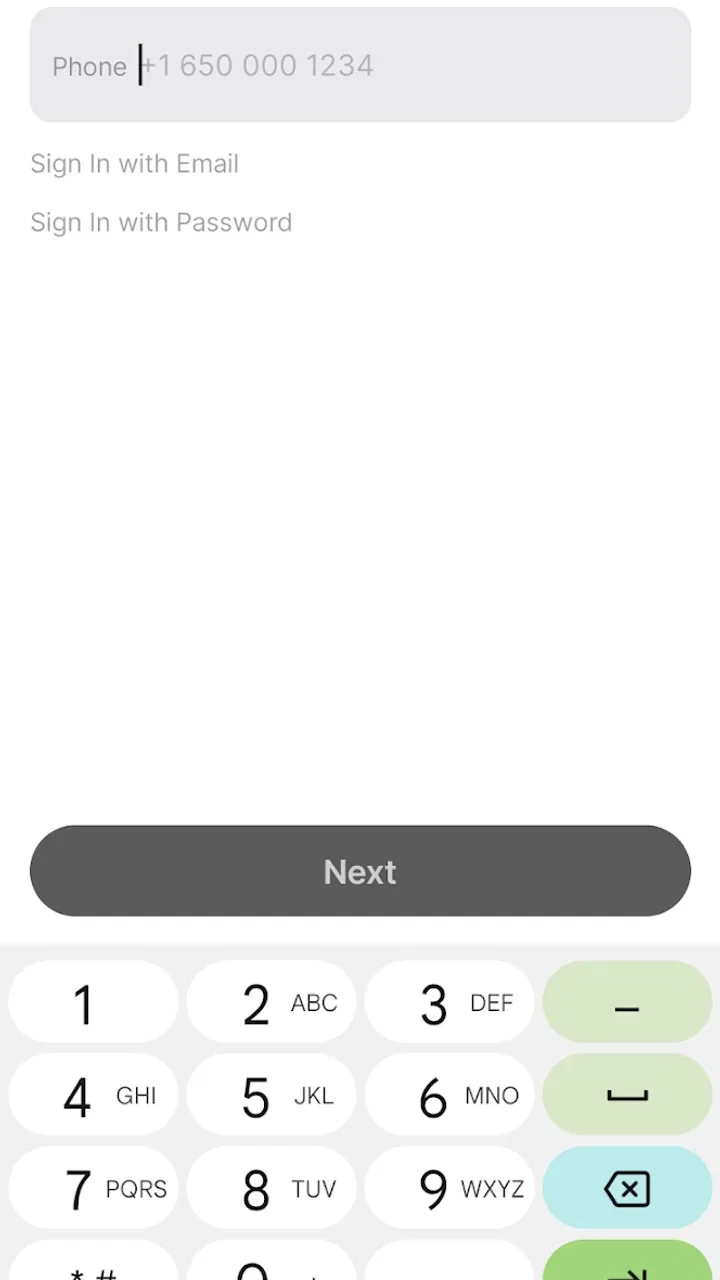
The most convincing use case is a small or medium event where one person, or a compact team, needs to confirm guests as they come through the door. Instead of switching between a registration page, a separate attendance sheet, and messages from the organizer, the check-in app gives the entrance operation a dedicated place on a phone.
I find that focus valuable because arrival is usually the least forgiving part of an event. Guests may be standing behind one another, the host may be answering questions, and the person checking names may have only a few seconds per visitor. A tool designed specifically for this moment should reduce decisions rather than add them. Luma Events Check In makes more sense in that setting than a full event-management suite whose many menus are built for planning, promotion, or reporting.
It is also a better fit for organizers who already use Luma for their event workflow. The benefit is not simply having an app installed; it is keeping the check-in task close to the event information that the organizer is already using. If your event lives elsewhere, the practical advantage may be much smaller, because moving attendance details between services can create more work than it removes.
Where it can replace familiar alternatives
The usual alternatives are a printed guest list, a shared spreadsheet, a general-purpose registration system, or a messaging thread where attendees confirm that they have arrived. Each option has a place. Paper is dependable when phones, connectivity, or batteries become a concern. A spreadsheet is flexible and familiar. A broad registration platform may offer more controls for ticket types, payments, email campaigns, and post-event reporting.
The reason to choose this app is narrower: it can make the front-door task feel less improvised. A printed list forces someone to search visually and mark names by hand. A spreadsheet can be awkward on a small screen and may expose more information than the person at the entrance actually needs. A messaging thread is not a reliable attendance record at all. For a Luma-based gathering, a purpose-built check-in screen is the cleaner middle ground.
That trade-off becomes important for larger or more complex events. If your operation needs detailed ticket validation, multiple admission rules, payment handling, badge printing, or extensive staff permissions, I would compare this app with a dedicated event-registration platform before committing. A focused check-in companion may be easier to learn, but it should not automatically be treated as a complete event-operations system.
A realistic evening at the door
Imagine hosting a community workshop after work. Attendees arrive within a short window, some are early, and others ask whether they are on the list while the organizer is still setting up chairs. I would place one phone at the entrance, keep the event details ready, and use the app as the single point for confirming arrivals. The organizer can then spend less time maintaining a parallel list and more time answering genuine questions, welcoming speakers, or solving room problems.
The useful insight here is to separate the check-in role from the host role. If the same person is greeting everyone, answering logistical questions, and operating the phone, even a simple app can feel slow. A smoother workflow is to assign the check-in task to someone who can concentrate on names and arrivals, while the host handles exceptions. This is not a flashy feature; it is the kind of small operational decision that determines whether a check-in tool helps in practice.
Trust starts with what the app visibly lets you control
For an event app, trust is not only about the developer’s name or the number of installs. It is also about whether I can understand what I am doing at each step. A check-in action should be deliberate, because marking the wrong person as present can affect the organizer’s record and create an awkward conversation at the door.
I therefore recommend using the app in a low-pressure rehearsal before the event begins. Open the relevant event, review the available attendee information, and decide who will operate the phone. This gives the team a chance to notice sign-in friction, unclear labels, or an unexpected step while there is still time to adjust. It also prevents the common mistake of learning the workflow in front of the first guest.
Because the app is rated for Everyone, it is presented as suitable for a broad audience. That does not mean every event workflow is equally appropriate for every person. An organizer should still make sure that volunteers understand which information they are expected to use and which actions they should avoid. The safest check-in desk is one with a simple role, a clear device, and a short explanation before the doors open.
Account and access choices deserve attention
My main trust question with any event check-in product is not whether it looks polished; it is whether the person using it can keep access under control. Before an event, I would confirm which account is being used, who is allowed to operate the device, and what happens when the shift changes. I would not casually hand an unlocked phone to a volunteer without explaining the boundaries of that access.
This is especially important when an organizer works with temporary staff. A check-in desk may be operated by a friend for one evening, but the event account can remain valuable after that evening ends. The practical habit I recommend is to use the least access necessary, avoid sharing credentials in a group chat, and remove access through the account’s available controls when the event team changes. These are sensible safeguards even when the app itself is straightforward.
I also prefer to keep the check-in device dedicated to the task. A separate phone reduces the chance that a volunteer will accidentally open personal messages, photos, or unrelated account areas while trying to find the event screen. It creates a clearer boundary between the event operation and the owner’s private phone life. That is a user-choice issue rather than a technical promise, but it makes the workflow easier to trust.
Data-sensitive moments at the entrance
Guest information becomes more sensitive when it is displayed in public. A name on a screen can be visible to the person behind the guest, and an attendee may not expect other visitors to see details connected with their registration. I would position the phone so that only the operator can read it, lower the screen brightness if necessary, and avoid announcing personal information loudly.
This is one of the most important limitations of any mobile check-in workflow: the app cannot compensate for careless handling at the desk. Even a well-designed interface can become intrusive if the phone is passed around, projected onto a large display, or left unattended. I would never use a shared public screen for the attendee list unless the event’s privacy expectations clearly support that arrangement.
Another practical tip is to plan for exceptions without turning the whole list into a conversation. A guest may have registered under a different name, arrived with an invitation, or need help from the organizer. Instead of scrolling through the attendee information while the queue grows, I would move unusual cases to one side and keep the main line moving. This protects the guest’s privacy and reduces pressure on the operator.
I would also avoid taking screenshots of attendee information as a backup. A screenshot is easy to create and easy to forget, and it can remain in a phone’s photo library long after the event. If a backup is genuinely needed, the organizer should choose a controlled method and decide in advance who may access it. The app’s value is weakened if the team creates uncontrolled copies around it.
What to check before depending on it
The first practical question is whether your phone meets the Android requirement. The app needs Android nine or newer, so an older device should not be left as the only entrance option. I would check this several days before the event, not when guests are already waiting.
The second question is operational: will the venue provide a dependable way to use the phone throughout the event? I would charge the device fully, close unrelated applications, and keep a simple manual fallback ready. That fallback might be a printed list prepared by the organizer or a clearly assigned person who can handle arrivals if the app becomes inconvenient. Having a backup does not mean I expect failure; it means the guest experience should not depend on one battery or one screen.
The third question is team readiness. A volunteer should know how to identify the correct event, confirm an arrival, and escalate an exception. If the app requires the organizer to intervene every time a name is unclear, the queue can build quickly. A short practice session with a few test scenarios is more useful than assuming that an event app will be self-explanatory.
Finally, I would consider the size and rhythm of the event. For a relaxed gathering with arrivals spread across an hour, a simple check-in tool may be more than enough. For a large event with several simultaneous entrances, I would be more cautious and look closely at how the team will coordinate. The right choice depends not just on the number of guests, but on how quickly they arrive and how many decisions the desk must make.
Who will appreciate it most
I would recommend Luma Events Check In to organizers who already rely on Luma’s event environment and want a dedicated way to manage arrivals. It is particularly appealing for meetups, workshops, community gatherings, and invitation-based events where the main requirement is knowing who has shown up without building a complicated technical setup.
It may also suit a first-time organizer who wants to avoid creating a spreadsheet from scratch. The app gives the check-in role a clearer identity, which can make it easier to train a helper and keep the entrance process separate from the rest of the event planning. The free price is another practical advantage for someone testing a workflow before investing in a larger event platform.
I would be less enthusiastic for an organizer who needs a complete commercial ticketing operation. If your event depends on intricate admissions, payment reconciliation, detailed staff roles, or advanced attendance analysis, compare the app with a system built around those requirements. The attraction here is simplicity around arrival, not an assumption that every event problem belongs in the same mobile tool.
How the rating should influence your decision
The current average of 3.1 is a reason to be measured rather than dismissive. A rating at that level tells me that the app may work well for some workflows while leaving other users frustrated. With only a modest body of public feedback, I would not treat the rating as a definitive verdict, but I also would not ignore it.
My approach would be to install it early, use it with a small event or rehearsal, and judge the complete path from opening the app to recording an arrival. Pay attention to the moments that matter to you: finding the correct event, handling a name that is not immediately obvious, switching operators, and recovering from an interruption. Those observations are more useful than a generic assumption based on the store score.
The app’s adoption has passed fifty thousand installs, which gives it a meaningful user base without making it feel like an unavoidable default. I see that as another reason to evaluate it on fit. A widely installed app can still be wrong for a particular event, while a smaller tool can be exactly right when its workflow matches the organizer’s needs.
My cautious verdict
I like the idea behind Luma Events Check In because it respects a real event need: the arrival desk deserves a focused workflow. In the right setting, it can replace a messy combination of paper, spreadsheets, and messages with a more deliberate process. Its free availability and broad age rating lower the barrier to trying it, and its current version shows that it is an actively presented part of the Luma app experience.
My recommendation comes with conditions. I would not install it minutes before a major event, expose the attendee screen to the public, or assume that one phone can carry the entire operation without a backup. I would also avoid choosing it when the event requires sophisticated ticketing or a large, highly coordinated entrance team. Those situations deserve a deeper comparison with specialized alternatives.
For a Luma organizer running a manageable gathering, my advice is simple: test the app with the actual device and the actual event workflow, assign a clear check-in role, protect the screen from unnecessary eyes, and keep a fallback ready. The best reason to use it is not that it promises to handle every event task, but that it can make one stressful task more orderly. That focused benefit is enough for me to recommend trying it, provided the organizer treats account access, guest privacy, and practical backup planning as part of the check-in experience itself.
FAQs for Luma Events Check In
01What is Luma Events Check In and how does it work?
Luma Events Check In is an app designed to streamline the check-in process for events. It allows event organizers to efficiently manage attendee registration and track attendance in real-time. Users can scan QR codes or manually check in guests, ensuring a smooth and hassle-free entry experience.
02Is Luma Events Check In compatible with both Android and iOS devices?
Yes, Luma Events Check In is available for both Android and iOS platforms. This cross-platform compatibility ensures that event organizers and attendees can use the app regardless of their device preference, making it versatile and accessible for a wide range of users.
03What are the key features of Luma Events Check In?
Key features of Luma Events Check In include QR code scanning for fast check-ins, real-time attendance tracking, and the ability to manage multiple events simultaneously. The app also offers customizable event settings, making it adaptable to different types of events, from small gatherings to large conferences.
04Is there any cost associated with using Luma Events Check In?
Luma Events Check In offers a free version with basic functionalities. However, for advanced features such as detailed analytics, larger event management capabilities, and priority support, there may be premium subscription options. Users can choose a plan that best fits their event management needs and budget.
05How secure is the data on Luma Events Check In?
Luma Events Check In prioritizes data security, employing encryption and secure servers to protect user information. The app complies with data protection regulations, ensuring that personal and event-related data are handled responsibly and securely, giving users peace of mind when managing their events.
Pros
- User-friendly interface for quick setup.
- Real-time data sync enhances efficiency.
- Offline mode supports uninterrupted use.
- Customizable fields for tailored check-ins.
- Secure data handling ensures privacy.
Cons
- Limited to basic event management features.
- No integration with CRM systems available.
- Premium features require subscription.
- Lacks advanced analytics and reporting.
- Requires internet for full functionality.

Luma Events Check In
Gallery